
Case study 04 / 04 · SEO / Desktop tool
JPFW SEO
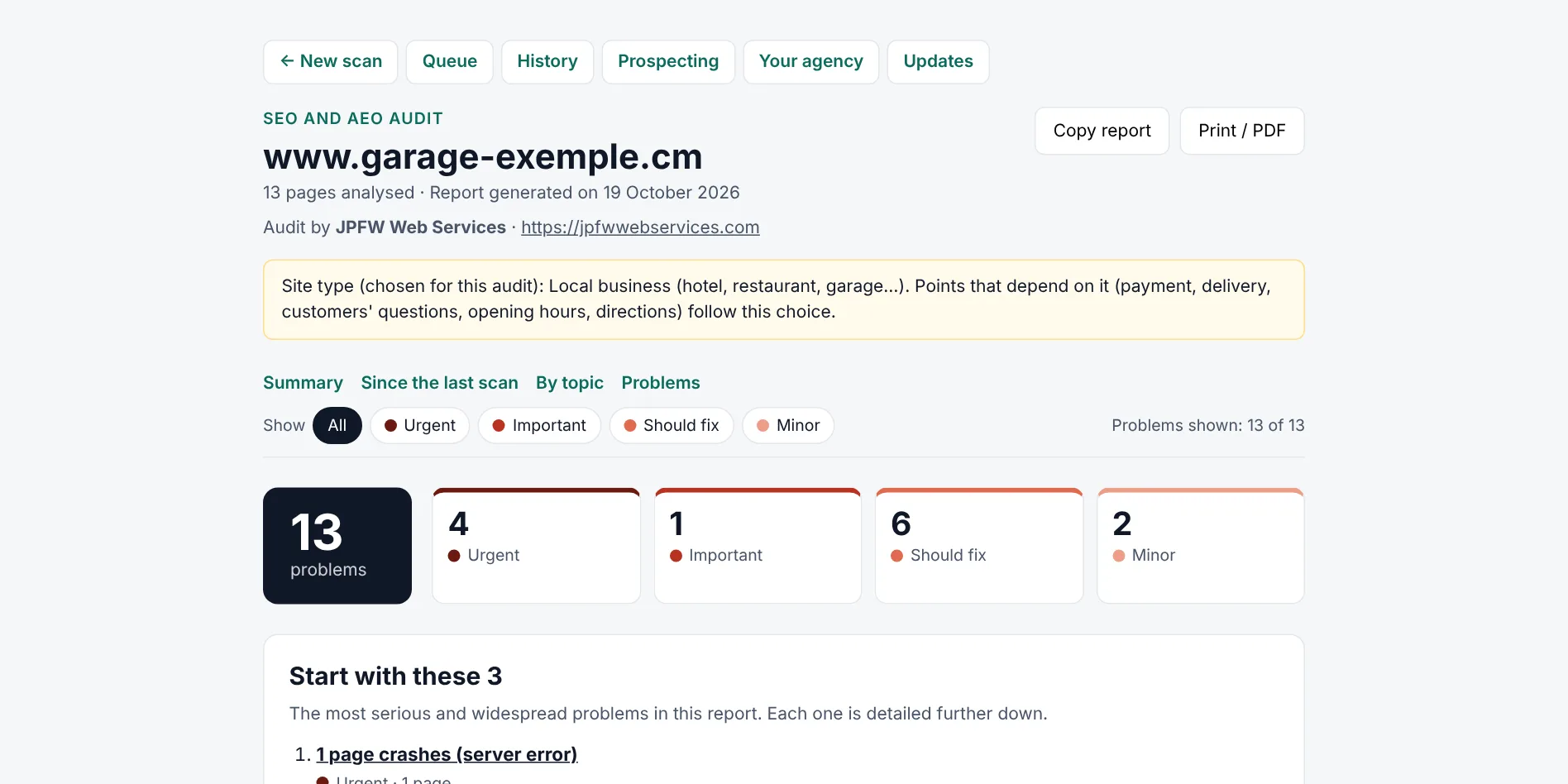
A tool I built to audit websites: it reads a site the way Google does, runs 76 checks, and writes a report that a business owner understands, with a technical note for their developer. In French or English.
- Role
- Solo · design + engineering
- Status
- Working tool · private code
- Stack
- TypeScript · Node.js · Lighthouse
- Updated
- Oct 2026
01
What the client needed, and what I built
Many business sites in Cameroon can't be found on Google, and their owners don't know why. Audit tools exist, but they're in English, written for SEO specialists, and full of warnings that aren't real problems. An owner can't tell what matters, and a report with false alarms loses their trust.
01 · Plain words
ProblemAudit tools speak to SEO specialists. A business owner can't tell what matters or what to do.
BuiltEach problem says what it means and what to do, with examples from the site. The three to fix first open the report.
Messages in French and English with the same placeholders, real plurals, and the technical note folded for the developer
02 · Trust
ProblemA false alarm in a report makes the owner doubt everything else in it.
BuiltChecks only fire on clear evidence, and the report says what it couldn't check instead of claiming there's no problem.
Recorded sites replayed offline: the test requires exactly the expected findings, in order
03 · Several sites
ProblemAuditing several sites one by one, then comparing with last month by hand, takes an afternoon.
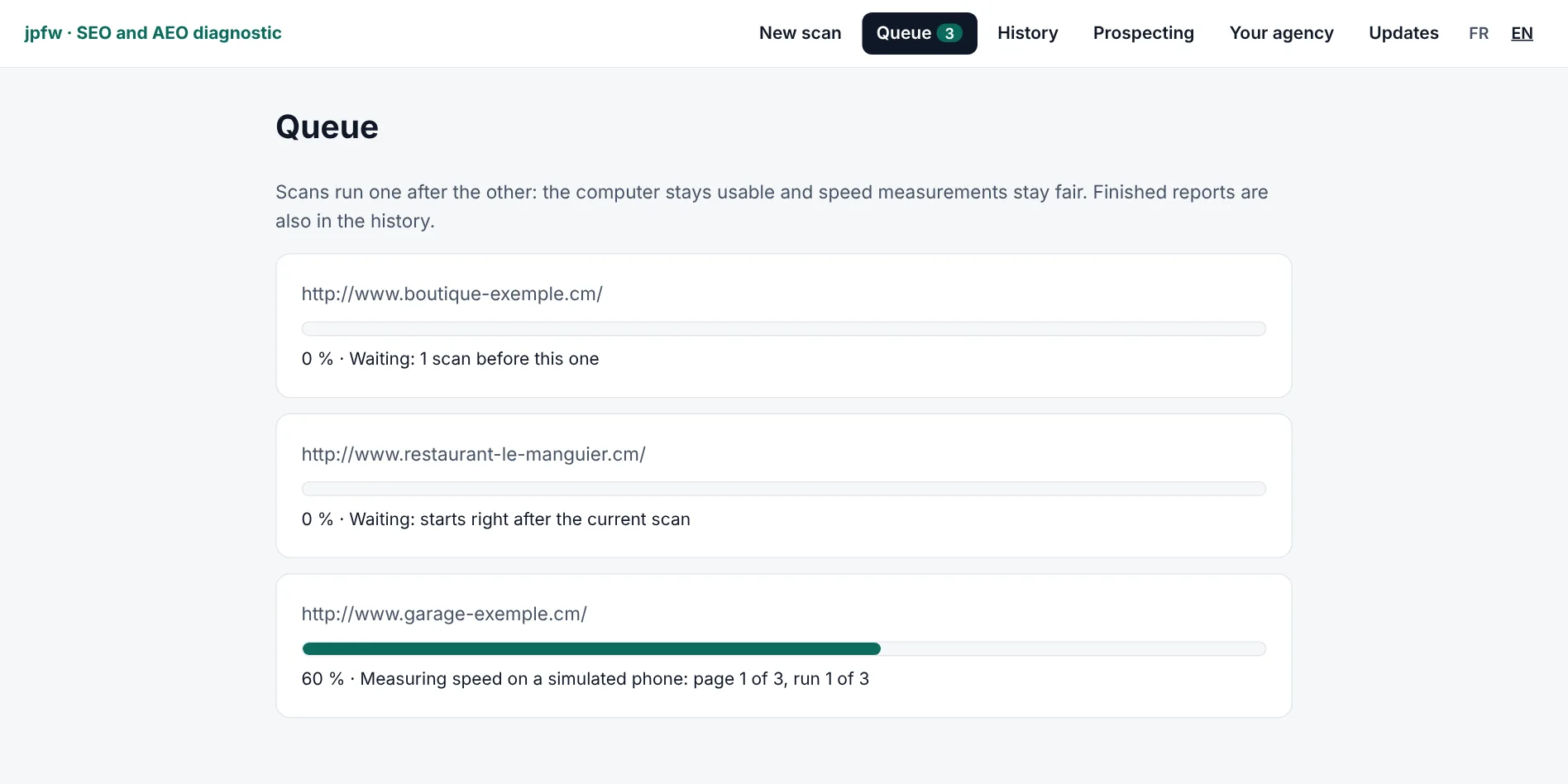
BuiltA queue of up to 20 sites with a live progress bar, and each report compared with the site's previous scan.
One scan at a time, so speed measurements don't compete; each scan saved as JSON with its report
All features (10)
- 76 checks: indexing, broken links and redirects, titles and descriptions, headings, structured data, HTTPS, images, speed and local business details
- A report written for the owner: what each problem means and what to do, with examples from their own site, and a folded technical note for their developer
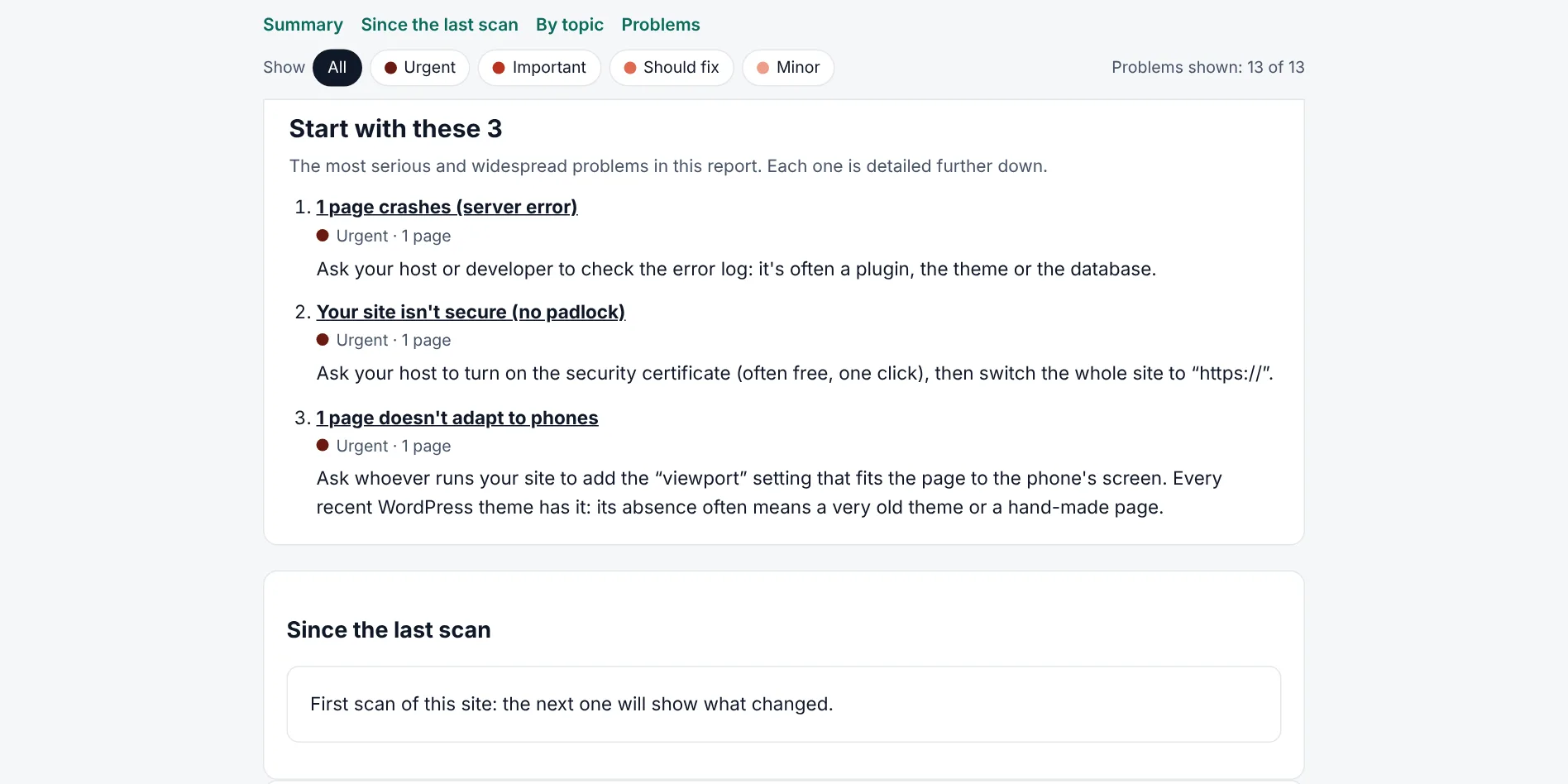
- "Start with these 3": the most serious and widespread problems first, on a first page that prints as a summary to send a client
- Speed measured in a real Chrome with Lighthouse, three runs per page, judged on the median and adjusted to the computer's speed
- Menus built by JavaScript are followed: the home page is read in Chrome first, so the scan doesn't stop at one page
- A queue of up to 20 sites with a live progress bar, a history of every scan, and "what changed since the last scan" in each report
- The site type can be set (shop, local business, media, nonprofit…), so a news site is never asked for payment options
- Prospecting: finds dead links on directory pages, the web archive's copy of what they pointed to, and a ready-to-send message to the page's owner
- Interface and reports in French or English, with the agency's name on every report
- A Windows package with its own Node.js, and updates that only download the code that changed (about 1 MB instead of 74 MB)
02
How it's built
I built a diagnostic engine and a small app that runs it. The engine reads the site's pages like Google, then checks titles, links, redirects, structured data, local business details, speed on a phone and what AI assistants can read. Each problem comes with what it means, what to do, examples taken from the site, and a folded note for the developer. The report opens with the three things to fix first, and prints to a PDF ready to send.
- Language
- TypeScript on Node.js 22One language from the crawler to the report. Node runs TypeScript directly, so there's no build step to break.
- Crawler
- Crawlee + CheerioCrawlee handles the queue, retries, robots.txt and rate limits; Cheerio reads the HTML without a browser, which is fast.
- Speed
- Lighthouse + PuppeteerThe same measurements Google uses, in a real Chrome on a simulated phone, kept in a separate package so the crawler stays light.
- Interface
- Plain HTML, no frameworkA local app on 127.0.0.1 with a handful of pages. Plain HTML has nothing to build or update.
- Tests
- Vitest + recorded sitesEvery check is tested against sites with planted problems and real sites recorded byte for byte, offline and the same on every run.
- Delivery
- GitHub Actions + ReleasesEach merge is tested on Linux and Windows, packaged, and published as an update the app installs itself after checking its fingerprint.
03
What was hard
- No false alarms. A report that flags something that isn't a problem loses the owner's trust. Each check is tested against 18 sites with planted problems and traps, and against 7 real sites recorded and reviewed finding by finding: a test fails if a problem is missed or if one appears that shouldn't.
- The same site, the same report. Servers answer in random order, so a page limit could cut the crawl at a different page each time. The crawler reads pages in waves, in link order, so two scans of the same site stop at the same place.
- Menus built by JavaScript. Some sites have no links in their HTML, so the scan stopped at the home page. The tool now opens the home page in Chrome first and follows the links that appear once JavaScript has run.
- Updates on mobile data. The full package is 74 MB. Each release records a fingerprint of Node.js and the libraries; when it hasn't changed, the app downloads only the code, about 1 MB.
04
Result
It's a working tool I use for audits: a Windows app that updates itself, with 865 automated tests run on Linux and Windows on every change. The code is in a private repository; the sample report shows exactly what a client receives.
05
Screens
6 screens · tap to enlarge
Want to know what Google sees on your site?
I run this audit on your site and walk you through the report.